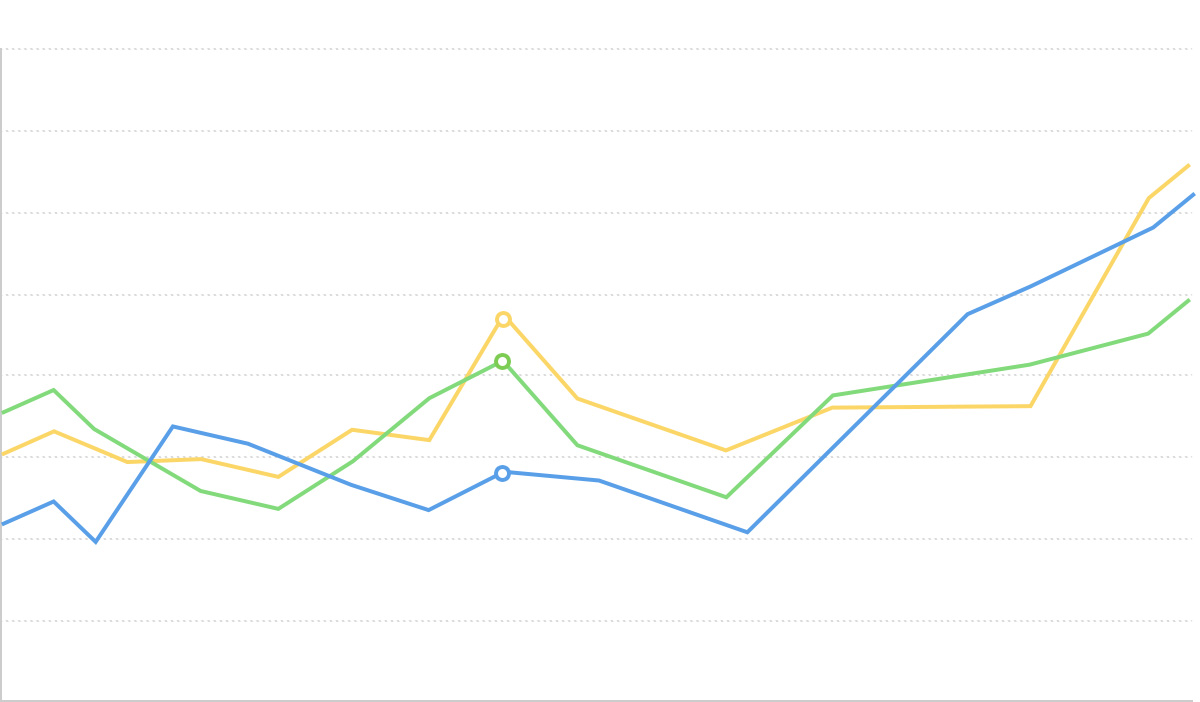
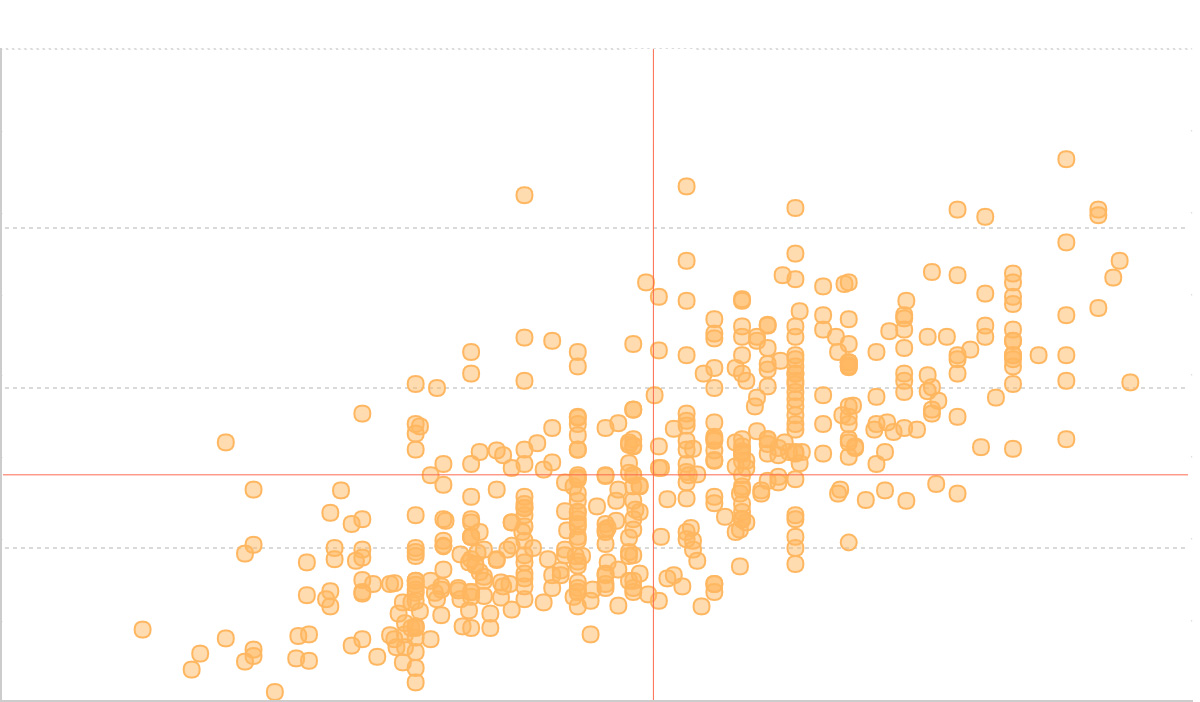
Regression Curve Chart

Introduction to Regression Curve Chart
A regression curve chart is a statistical chart that adds regression curves on top of scatter plots to show mathematical relationships between two or more variables and predict trends. Regression curves use mathematical algorithms to fit data points, finding the best functional relationship between variables, helping analyze the inherent patterns in data and make trend predictions.
Regression curve charts combine the data distribution display capability of scatter plots with the predictive functionality of mathematical modeling. They not only intuitively show the distribution of data points but also reveal potential relationships between variables through fitted curves, making them an important tool in data analysis and scientific research.
Common regression types include linear regression, polynomial regression, exponential regression, logarithmic regression, etc. Different regression methods are suitable for different data patterns and relationship types.
English Name: Regression Curve Chart
Components of Regression Curve Chart
| Chart Type | Regression Curve Chart |
|---|---|
| Suitable Data | Two continuous data fields: one independent variable field, one dependent variable field |
| Function | Display mathematical relationships between variables, identify data trends, perform predictive analysis |
| Data-Graphics Mapping | Independent variable field maps to horizontal axis position Dependent variable field maps to vertical axis position Data points show original observations Regression curve shows fitted mathematical relationship |
| Suitable Data Amount | 10-1000 data points, enough data points are needed for effective regression analysis |
Components:
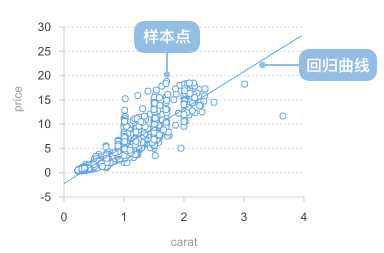
- Scatter Points: Points representing original data observations
- Regression Curve: Trend line fitted through mathematical algorithms
- X-axis: Horizontal coordinate axis, usually representing the independent variable
- Y-axis: Vertical coordinate axis, usually representing the dependent variable
- Regression Equation: Mathematical formula describing variable relationships
- Coefficient of Determination (R²): Indicator measuring the goodness of fit of the regression model
Application Scenarios for Regression Curve Chart
Suitable Scenarios
Example 1: Linear Relationship Data Analysis
Linear regression is suitable for showing linear relationships between two variables, such as height vs. weight, temperature vs. sales, etc.
import { Chart } from '@antv/g2';
import { regressionLinear } from 'd3-regression';

const chart = new Chart({
  container: 'container',
  theme: 'classic',
});

chart.options({
  type: 'view',
  autoFit: true,
  data: {
    type: 'fetch',
    value: 'https://assets.antv.antgroup.com/g2/linear-regression.json',
  },
  children: [
    {
      type: 'point',
      encode: { x: (d) => d[0], y: (d) => d[1] },
      scale: { x: { domain: [0, 1] }, y: { domain: [0, 5] } },
      style: { fillOpacity: 0.75, fill: '#1890ff' },
    },
    {
      type: 'line',
      data: {
        transform: [
          {
            type: 'custom',
            callback: regressionLinear(),
          },
        ],
      },
      encode: { x: (d) => d[0], y: (d) => d[1] },
      style: { stroke: '#30BF78', lineWidth: 2 },
      labels: [
        {
          text: 'y = 1.7x + 3.01',
          selector: 'last',
          position: 'right',
          textAlign: 'end',
          dy: -8,
        },
      ],
      tooltip: false,
    },
  ],
  axis: {
    x: { title: 'Independent Variable X' },
    y: { title: 'Dependent Variable Y' },
  },
});

chart.render();
Description:
- Scatter points show original data distribution
- Linear regression line reveals linear relationship between two variables
- Regression equation provides precise mathematical description
- Suitable for prediction and trend analysis
Example 2: Non-linear Relationship - Quadratic Regression
When data shows a curved trend, quadratic regression (parabola) can be used to fit the data.
import { Chart } from '@antv/g2';
import { regressionQuad } from 'd3-regression';

const chart = new Chart({
  container: 'container',
  theme: 'classic',
});

const data = [
  { x: -4, y: 5.2 },
  { x: -3, y: 2.8 },
  { x: -2, y: 1.5 },
  { x: -1, y: 0.8 },
  { x: 0, y: 0.5 },
  { x: 1, y: 0.8 },
  { x: 2, y: 1.5 },
  { x: 3, y: 2.8 },
  { x: 4, y: 5.2 },
];

chart.options({
  type: 'view',
  autoFit: true,
  data,
  children: [
    {
      type: 'point',
      encode: { x: 'x', y: 'y' },
      style: { fillOpacity: 0.75, fill: '#1890ff' },
    },
    {
      type: 'line',
      data: {
        transform: [
          {
            type: 'custom',
            callback: regressionQuad()
              .x((d) => d.x)
              .y((d) => d.y)
              .domain([-4, 4]),
          },
        ],
      },
      encode: { x: (d) => d[0], y: (d) => d[1] },
      style: { stroke: '#30BF78', lineWidth: 2 },
      labels: [
        {
          text: 'y = 0.3x² + 0.5',
          selector: 'last',
          textAlign: 'end',
          dy: -8,
        },
      ],
      tooltip: false,
    },
  ],
  axis: {
    x: { title: 'Independent Variable X' },
    y: { title: 'Dependent Variable Y' },
  },
});

chart.render();
Description:
- Quadratic regression is suitable for displaying data relationships with parabolic characteristics
- Can capture curved trends and extreme points in data
- Commonly used for non-linear relationship analysis in physics and economics
Example 3: Exponential Growth Trend Analysis
Exponential regression is suitable for displaying exponential growth or decay data patterns, such as population growth, bacterial reproduction, etc.
import { Chart } from '@antv/g2';
import { regressionExp } from 'd3-regression';

const chart = new Chart({
  container: 'container',
  theme: 'classic',
});

chart.options({
  type: 'view',
  autoFit: true,
  data: {
    type: 'fetch',
    value: 'https://assets.antv.antgroup.com/g2/exponential-regression.json',
  },
  children: [
    {
      type: 'point',
      encode: { x: (d) => d[0], y: (d) => d[1] },
      scale: {
        x: { domain: [0, 18] },
        y: { domain: [0, 100000] },
      },
      style: { fillOpacity: 0.75, fill: '#1890ff' },
    },
    {
      type: 'line',
      data: {
        transform: [
          {
            type: 'custom',
            callback: regressionExp(),
          },
        ],
      },
      encode: {
        x: (d) => d[0],
        y: (d) => d[1],
        shape: 'smooth',
      },
      style: { stroke: '#30BF78', lineWidth: 2 },
      labels: [
        {
          text: 'y = 3477.32e^(0.18x)\nR² = 0.998',
          selector: 'last',
          textAlign: 'end',
          dy: -20,
        },
      ],
      tooltip: false,
    },
  ],
  axis: {
    x: { title: 'Time' },
    y: {
      title: 'Value',
      labelFormatter: '~s',
    },
  },
});

chart.render();
Description:
- Exponential regression is suitable for analyzing rapid growth or decay trends
- R² value close to 1 indicates very good fit
- Commonly used for predicting future trends with exponential characteristics
Unsuitable Scenarios
Example 1: Insufficient Data Points
When there are too few data points, regression analysis may not be reliable and can lead to misleading conclusions.
import { Chart } from '@antv/g2';
import { regressionLinear } from 'd3-regression';

const chart = new Chart({
  container: 'container',
  theme: 'classic',
});

const insufficientData = [
  { x: 1, y: 2 },
  { x: 3, y: 4 },
  { x: 5, y: 3 },
];

chart.options({
  type: 'view',
  autoFit: true,
  data: insufficientData,
  children: [
    {
      type: 'point',
      encode: { x: 'x', y: 'y' },
      style: {
        fillOpacity: 0.8,
        fill: '#ff4d4f',
        r: 8,
      },
    },
    {
      type: 'line',
      data: {
        transform: [
          {
            type: 'custom',
            callback: regressionLinear()
              .x((d) => d.x)
              .y((d) => d.y),
          },
        ],
      },
      encode: { x: (d) => d[0], y: (d) => d[1] },
      style: {
        stroke: '#ff4d4f',
        lineWidth: 2,
        strokeDasharray: [4, 4],
      },
      tooltip: false,
    },
  ],
  axis: {
    x: { title: 'Variable X' },
    y: { title: 'Variable Y' },
  },
  title: 'Unsuitable: Regression Analysis with Too Few Data Points',
});

chart.render();
Problem Description:
- Only 3 data points, insufficient sample size
- Limited reliability and predictive capability of the regression line
- Easily affected by outliers
- Recommend at least 10 or more data points for regression analysis
Example 2: Data with No Clear Correlation
When there is no clear correlation between two variables, forcing a regression line may mislead the analysis.
import { Chart } from '@antv/g2';
import { regressionLinear } from 'd3-regression';

const chart = new Chart({
  container: 'container',
  theme: 'classic',
});

// Generate randomly distributed data (no correlation)
const randomData = Array.from({ length: 30 }, (_, i) => ({
  x: Math.random() * 10,
  y: Math.random() * 10,
}));

chart.options({
  type: 'view',
  autoFit: true,
  data: randomData,
  children: [
    {
      type: 'point',
      encode: { x: 'x', y: 'y' },
      style: {
        fillOpacity: 0.8,
        fill: '#ff4d4f',
        r: 6,
      },
    },
    {
      type: 'line',
      data: {
        transform: [
          {
            type: 'custom',
            callback: regressionLinear()
              .x((d) => d.x)
              .y((d) => d.y),
          },
        ],
      },
      encode: { x: (d) => d[0], y: (d) => d[1] },
      style: {
        stroke: '#ff4d4f',
        lineWidth: 2,
        strokeDasharray: [4, 4],
      },
      labels: [
        {
          text: 'R² ≈ 0.02 (extremely low)',
          selector: 'last',
          textAlign: 'end',
          dy: -8,
        },
      ],
      tooltip: false,
    },
  ],
  axis: {
    x: { title: 'Variable X' },
    y: { title: 'Variable Y' },
  },
  title: 'Unsuitable: Data with No Correlation',
});

chart.render();
Problem Description:
- Data points show random distribution with no clear trend pattern
- Extremely low R² value indicates the regression model can hardly explain variable relationships
- Regression line has no practical meaning and may mislead decision-making
- Should perform correlation analysis first to confirm relationships between variables before regression
Extensions of Regression Curve Chart
Polynomial Regression
When data shows complex curved trends, polynomial regression can be used to fit more complex curves.
import { Chart } from '@antv/g2';
import { regressionPoly } from 'd3-regression';

const chart = new Chart({
  container: 'container',
  theme: 'classic',
});

const polynomialData = [
  { x: 0, y: 140 },
  { x: 1, y: 149 },
  { x: 2, y: 159.6 },
  { x: 3, y: 159 },
  { x: 4, y: 155.9 },
  { x: 5, y: 169 },
  { x: 6, y: 162.9 },
  { x: 7, y: 169 },
  { x: 8, y: 180 },
];

chart.options({
  type: 'view',
  autoFit: true,
  data: polynomialData,
  children: [
    {
      type: 'point',
      encode: { x: 'x', y: 'y' },
      style: { fillOpacity: 0.75, fill: '#1890ff' },
    },
    {
      type: 'line',
      data: {
        transform: [
          {
            type: 'custom',
            callback: regressionPoly()
              .x((d) => d.x)
              .y((d) => d.y),
          },
        ],
      },
      encode: {
        x: (d) => d[0],
        y: (d) => d[1],
        shape: 'smooth',
      },
      style: { stroke: '#30BF78', lineWidth: 2 },
      labels: [
        {
          text: 'y = 0.24x³ - 3.00x² + 13.45x + 139.77\nR² = 0.92',
          selector: 'last',
          textAlign: 'end',
          dx: -8,
          dy: -20,
        },
      ],
      tooltip: false,
    },
  ],
  axis: {
    x: { title: 'Time' },
    y: { title: 'Value' },
  },
});

chart.render();
Description:
- Polynomial regression can fit complex curved relationships
- Suitable for handling data with multiple peaks and valleys
- Need to be careful to avoid overfitting problems
Logarithmic Regression
Logarithmic regression is suitable for data patterns where the growth rate gradually slows down.
import { Chart } from '@antv/g2';
import { regressionLog } from 'd3-regression';

const chart = new Chart({
  container: 'container',
  theme: 'classic',
});

chart.options({
  type: 'view',
  autoFit: true,
  data: {
    type: 'fetch',
    value: 'https://assets.antv.antgroup.com/g2/logarithmic-regression.json',
  },
  children: [
    {
      type: 'point',
      encode: { x: 'x', y: 'y' },
      scale: { x: { domain: [0, 35] } },
      style: { fillOpacity: 0.75, fill: '#1890ff' },
    },
    {
      type: 'line',
      data: {
        transform: [
          {
            type: 'custom',
            callback: regressionLog()
              .x((d) => d.x)
              .y((d) => d.y)
              .domain([0.81, 35]),
          },
        ],
      },
      encode: {
        x: (d) => d[0],
        y: (d) => d[1],
        shape: 'smooth',
      },
      style: { stroke: '#30BF78', lineWidth: 2 },
      labels: [
        {
          text: 'y = 0.881·ln(x) + 4.173\nR² = 0.958',
          selector: 'last',
          textAlign: 'end',
          dy: -20,
        },
      ],
      tooltip: false,
    },
  ],
  axis: {
    x: { title: 'Variable X' },
    y: { title: 'Variable Y' },
  },
});

chart.render();
Description:
- Logarithmic regression is suitable for showing diminishing marginal effects
- Commonly used for analyzing learning curves, diminishing returns scenarios
- Can handle data patterns with gradually decreasing growth rates
Multi-Variable Regression Comparison
Multiple regression methods can be compared in the same chart to show their comparative effects.
import { Chart } from '@antv/g2';
import { regressionLinear, regressionQuad } from 'd3-regression';

const chart = new Chart({
  container: 'container',
  theme: 'classic',
});

const comparisonData = [
  { x: 1, y: 2.1 },
  { x: 2, y: 3.9 },
  { x: 3, y: 6.8 },
  { x: 4, y: 10.2 },
  { x: 5, y: 15.1 },
  { x: 6, y: 21.5 },
  { x: 7, y: 29.8 },
  { x: 8, y: 40.2 },
];

chart.options({
  type: 'view',
  autoFit: true,
  data: comparisonData,
  children: [
    {
      type: 'point',
      encode: { x: 'x', y: 'y' },
      style: {
        fillOpacity: 0.8,
        fill: '#1890ff',
        r: 6,
      },
    },
    // Linear regression
    {
      type: 'line',
      data: {
        transform: [
          {
            type: 'custom',
            callback: regressionLinear()
              .x((d) => d.x)
              .y((d) => d.y),
          },
        ],
      },
      encode: { x: (d) => d[0], y: (d) => d[1] },
      style: {
        stroke: '#ff4d4f',
        lineWidth: 2,
        strokeDasharray: [4, 4],
      },
      tooltip: false,
    },
    // Quadratic regression
    {
      type: 'line',
      data: {
        transform: [
          {
            type: 'custom',
            callback: regressionQuad()
              .x((d) => d.x)
              .y((d) => d.y),
          },
        ],
      },
      encode: { x: (d) => d[0], y: (d) => d[1] },
      style: {
        stroke: '#30BF78',
        lineWidth: 2,
      },
      tooltip: false,
    },
  ],
  axis: {
    x: { title: 'Variable X' },
    y: { title: 'Variable Y' },
  },
  legends: [
    {
      color: {
        position: 'top',
        itemMarker: (color, index) => {
          if (index === 0)
            return {
              symbol: 'line',
              style: { stroke: '#ff4d4f', strokeDasharray: [4, 4] },
            };
          if (index === 1)
            return { symbol: 'line', style: { stroke: '#30BF78' } };
        },
        data: [
          { color: '#ff4d4f', value: 'Linear Regression' },
          { color: '#30BF78', value: 'Quadratic Regression' },
        ],
      },
    },
  ],
});

chart.render();
Description:
- Can simultaneously display the fitting effects of multiple regression methods
- Helps choose the regression model that best fits the data characteristics
- Find the best fitting method through comparative analysis
Comparison with Other Charts
Regression Curve Chart vs Scatter Plot
- Regression curve charts add mathematical modeling and prediction functionality on top of scatter plots
- Scatter plots focus on displaying data distribution and correlation, while regression curve charts emphasize trend analysis and prediction
- Choose regression curve charts when trend prediction is needed, choose scatter plots when only data distribution observation is required
Regression Curve Chart vs Line Chart
- Regression curve charts are based on mathematical model fitting, while line charts directly connect data points
- Regression curve charts can smooth noise and make predictions, while line charts accurately reflect each data point
- Choose regression curve charts when trend pattern analysis is needed, choose line charts when precise change display is required