Heatmap

Introduction to Heatmaps
A heatmap is a visualization technique that uses color intensity to map the density or magnitude of two-dimensional data, excelling at revealing distribution patterns, clusters, and anomalies. Heatmaps map two categorical or continuous fields (such as x, y) to coordinate axis and a third numerical field (such as value) to a color gradient, forming a grid-like matrix of colored cells. Typically, cool colors (like blue) represent low values and warm colors (like red) represent high values.
Heatmaps are particularly suitable for displaying the distribution characteristics of large amounts of data points. Through color variations, they intuitively reflect density or intensity changes in a dataset, helping to identify patterns and relationships. When displaying multi-dimensional data, heatmaps are more intuitive than bar charts or scatter plots, clearly showing areas of data concentration and sparsity at a glance.
Heatmaps are widely used in geographic spatial analysis, website user behavior research, correlation analysis in scientific research, and many other scenarios.
Other Names: Heat Map, Thermal Map
Components of a Heatmap
Heatmap with Unsmoothed Boundaries
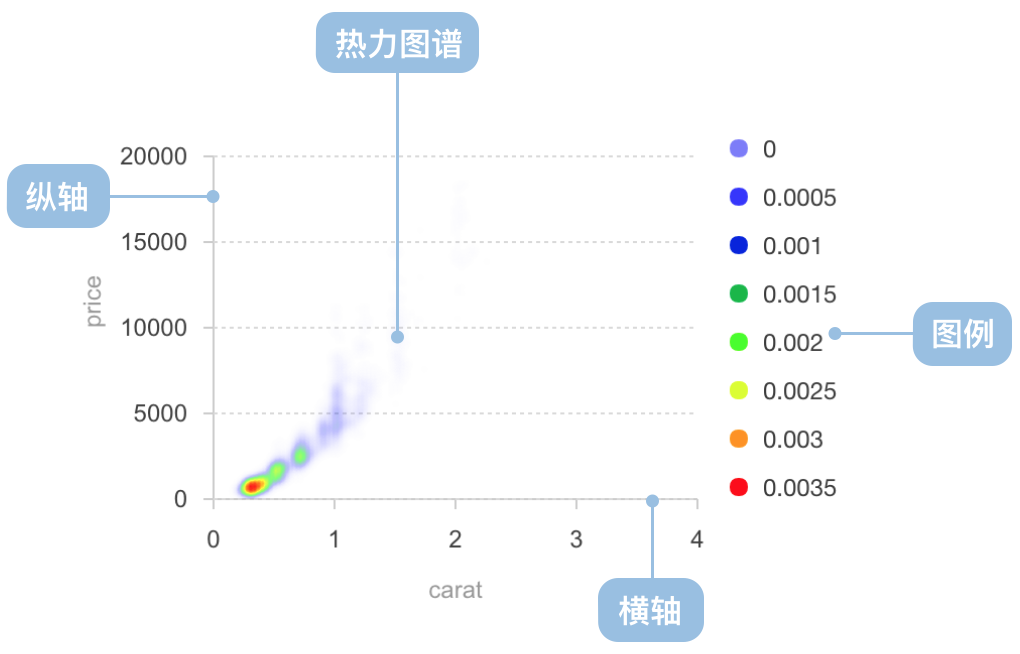
| Chart Type | Heatmap with Unsmoothed Boundaries |
|---|---|
| Suitable Data | Three continuous fields |
| Function | Observe data distribution patterns |
| Data-to-Visual Mapping | Two continuous fields mapped to x-axis and y-axis respectively. One continuous metadata mapped to color |
| Suitable Data Volume | More than 30 data points |
Heatmap with Smoothed Boundaries
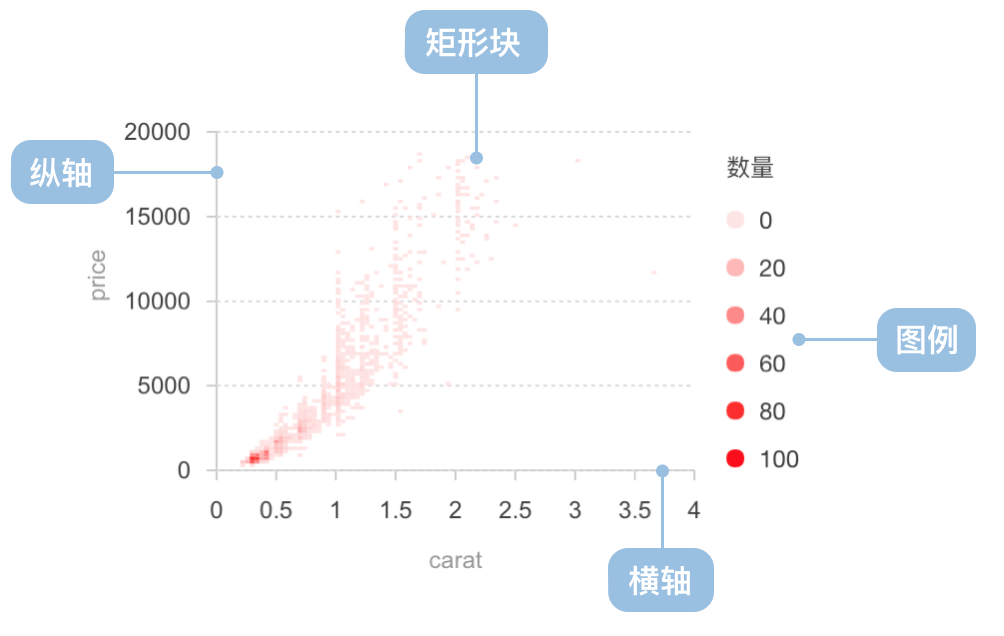
| Chart Type | Heatmap with Smoothed Boundaries |
|---|---|
| Suitable Data | Three continuous fields |
| Function | Display data distribution patterns, with statistical algorithms to predict data in unknown areas |
| Data-to-Visual Mapping | Two continuous fields mapped to x-axis and y-axis respectively. One continuous metadata mapped to color |
| Suitable Data Volume | More than 30 data points |
Use Cases of Heatmaps
Suitable Use Cases
Example 1: Suitable for displaying two-dimensional data distribution density
The heatmap below shows the temperature distribution in a two-dimensional space. Through color variations, you can intuitively see temperature differences across different areas.
import { Chart } from '@antv/g2';

const chart = new Chart({
  container: 'container',
  autoFit: true,
  padding: 0,
});

chart.options({
  type: 'view',
  axis: false,
  children: [
    {
      type: 'image',
      style: {
        src: 'https://gw.alipayobjects.com/zos/rmsportal/NeUTMwKtPcPxIFNTWZOZ.png',
        x: '50%',
        y: '50%',
        width: '100%',
        height: '100%',
      },
      tooltip: false,
    },
    {
      type: 'heatmap',
      data: {
        type: 'fetch',
        value: 'https://assets.antv.antgroup.com/g2/heatmap.json',
      },
      encode: {
        x: 'g',
        y: 'l',
        color: 'tmp',
      },
      style: {
        opacity: 0,
      },
      tooltip: false,
    },
  ],
});

chart.render();
Notes:
- The
gfield is mapped to the x-axis and thelfield to the y-axis, representing positions in two-dimensional space - The
tmpfield is mapped to color, representing the temperature value at each position - Background image and heat overlay provide an intuitive display of temperature distribution
Example 2: Suitable for displaying density distribution of scatter data
Density heatmaps can show concentration areas of scatter data. The example below shows the relationship between carat and price in a diamond dataset.
import { Chart } from '@antv/g2';
import DataSet from '@antv/data-set';

const chart = new Chart({
  container: 'container',
  autoFit: true,
});

chart.options({
  type: 'view',
  data: {
    type: 'fetch',
    value: 'https://assets.antv.antgroup.com/g2/diamond.json',
  },
  scale: {
    x: { nice: true, domainMin: -0.5 },
    y: { nice: true, domainMin: -2000 },
    color: { nice: true },
  },
  children: [
    {
      type: 'heatmap',
      data: {
        transform: [
          {
            type: 'custom',
            callback: (data) => {
              const dv = new DataSet.View().source(data);
              dv.transform({
                type: 'kernel-smooth.density',
                fields: ['carat', 'price'],
                as: ['carat', 'price', 'density'],
              });
              return dv.rows;
            },
          },
        ],
      },
      encode: {
        x: 'carat',
        y: 'price',
        color: 'density',
      },
      style: {
        opacity: 0.3,
        gradient: [
          [0, 'white'],
          [0.2, 'blue'],
          [0.4, 'cyan'],
          [0.6, 'lime'],
          [0.8, 'yellow'],
          [0.9, 'red'],
        ],
      },
    },
    {
      type: 'point',
      encode: {
        x: 'carat',
        y: 'price',
      },
    },
  ],
});

chart.render();
Notes:
- The
caratfield andpricefield are mapped to the x-axis and y-axis respectively - Kernel density estimation is used to calculate the density distribution of scatter points
- Density values are mapped to colors, creating a heat effect
- Original scatter data is overlaid, allowing simultaneous observation of data points and density distribution
Notes:
- Simulates user mouse position coordinates
xandydata - Uses
binXandbinYtransforms to group and count continuous position data - Heat effect intuitively reveals dense areas of mouse activity through color intensity
- Can intuitively identify interface areas that users focus on
Unsuitable Use Cases
Example 1: Not suitable for precise comparison of specific values
Heatmaps express value magnitude through color intensity, but human eyes perceive color less precisely than length. If accurate comparison of specific values is needed, bar charts or line charts are better choices.
Example 2: Not suitable for displaying a small number of discrete data points
When there are few data points, the density distribution advantage of heatmaps is not obvious. Using scatter plots directly may be clearer and more intuitive.
Extensions of Heatmaps
Threshold Heatmap
Threshold heatmaps divide continuous data into discrete color intervals based on preset threshold ranges, suitable for emphasizing data within specific ranges.
import { Chart } from '@antv/g2';

const chart = new Chart({
  container: 'container',
  autoFit: true,
});

chart.options({
  type: 'cell',
  data: {
    type: 'fetch',
    value: 'https://assets.antv.antgroup.com/g2/salary.json',
  },
  encode: {
    x: 'name',
    y: 'department',
    color: 'salary',
  },
  scale: {
    color: {
      type: 'threshold',
      domain: [7000, 10000, 20000],
      range: ['#C6E48B', '#7BC96F', '#239A3B', '#196127'],
    },
  },
});

chart.render();
Notes:
- Uses threshold scale to divide continuous data into discrete intervals
- Sets three thresholds at 7000, 10000, and 20000, dividing the data into four intervals
- Each interval is represented by a different color, making it easy to distinguish different salary levels
Comparing Heatmaps to Other Charts
Heatmaps and Scatter Plots
- Heatmaps emphasize data density and distribution patterns, intuitively showing data concentration areas through color gradients
- Scatter plots display each individual data point, more suitable for observing the distribution of individual data points and outliers
- Heatmaps are suitable for handling large amounts of data points, while scatter plots may face overlap issues with large data volumes
Heatmaps and Bubble Charts
- Heatmaps express data density or third-dimension values through color intensity
- Bubble charts express third-dimension values through bubble size while displaying specific data point positions
- Heatmaps are more suitable for showing continuous distributions and density patterns, while bubble charts are better for showing multi-dimensional relationships of discrete data points
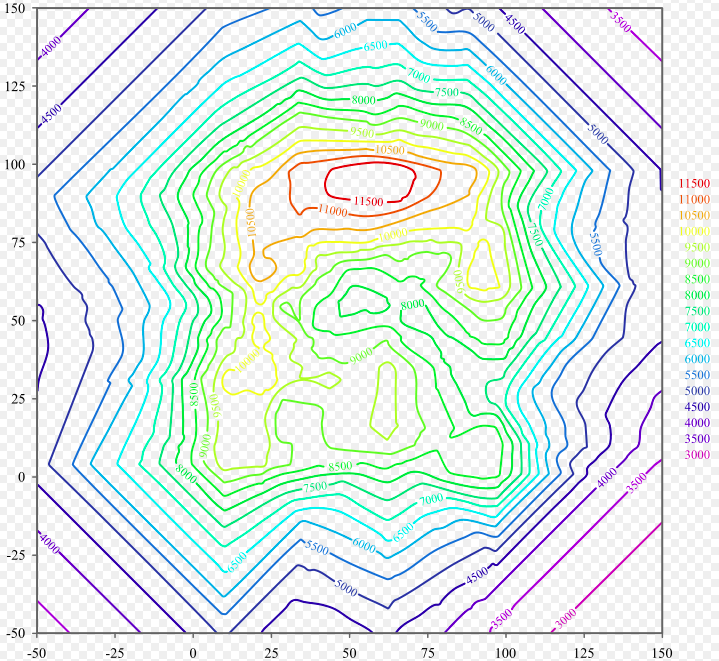
Heatmaps and Contour Lines
- Heatmaps use color intensity to represent value magnitude, providing intuitive visual comparison
- Contour lines connect points of equal value, more suitable for analyzing continuous change trends and gradients
- Heatmaps are better for showing density distribution of discrete data points, while contour lines are better for showing continuous surface change patterns
Heatmaps and Histograms
- Heatmaps can display data distribution in two-dimensional space, suitable for analyzing relationships between two variables
- Histograms display frequency distribution of a single variable, more suitable for analyzing distribution characteristics of a single variable
- Heatmaps can be seen as an extension of two-dimensional histograms, using color instead of height to represent frequency or density