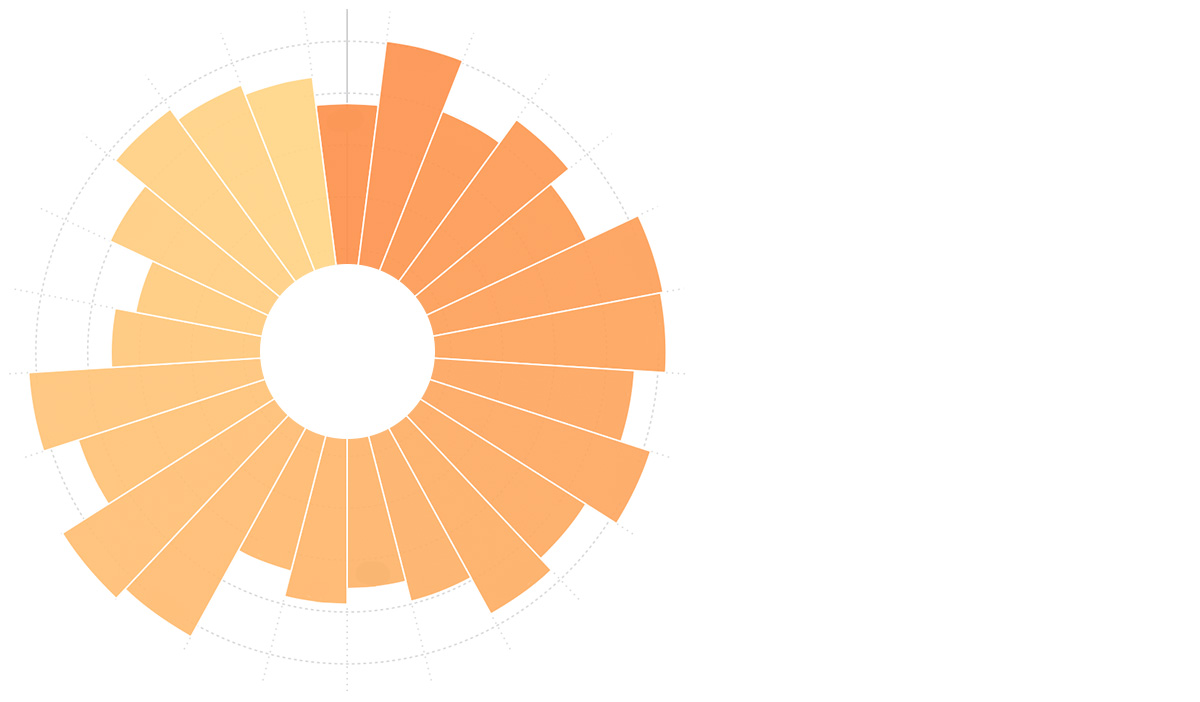
Donut Chart
Introduction to Donut Charts
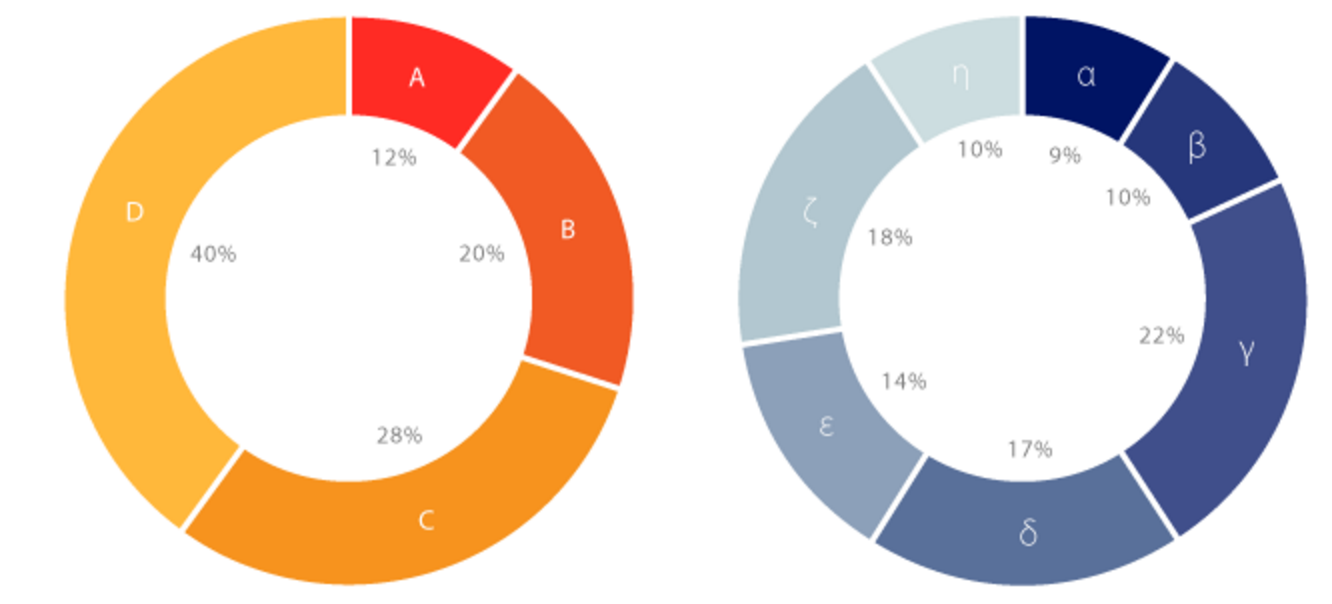
A donut chart (also known as a doughnut chart) is essentially a pie chart with its center area removed. Donut charts encourage us to focus more on arc length rather than area, making it relatively simple to compare different donut charts.
While donut charts and pie charts are similar in terms of data representation, donut charts have their unique advantages:
- Better Comparison: Pie charts have strong visual unity, causing viewers to focus on comparing the proportional relationships between slices within a single chart. However, when comparing two pie charts side by side, pie charts make it difficult to compare across different charts. Donut charts solve this problem.
- Better Space Utilization: Donut charts can utilize their hollow center area to display text information such as titles, totals, or other important data.
Other Names: Doughnut Chart
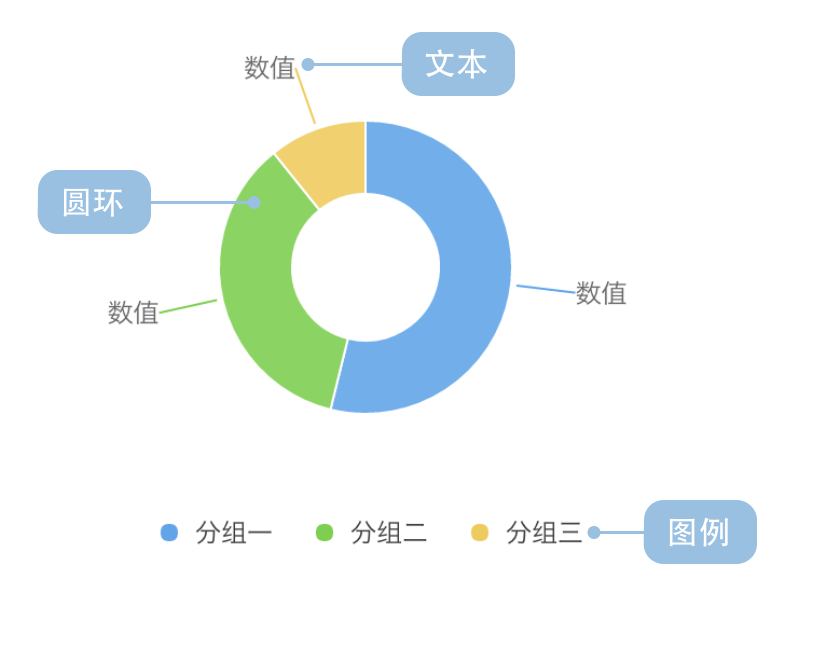
Components of a Donut Chart
| Chart Type | Donut Chart |
|---|---|
| Suitable Data | A dataset containing one categorical field and one numerical field |
| Functionality | Compare the size of numerical values across categories |
| Data Mapping | Categorical data maps to arc colors Numerical data maps to arc angles Proportional relationships shown by arc size |
| Data Size Limit | Recommended for no more than 9 data points |
Use Cases of Donut Charts
Suitable Use Cases
Example 1: Displaying Categorical Proportions
This usage is similar to pie charts. The chart below shows sales data from a gaming company:
| Genre | Sales |
|---|---|
| Sports | 27,500 |
| Strategy | 11,500 |
| Action | 6,000 |
| Shooter | 3,500 |
| Other | 1,500 |
import { Chart } from '@antv/g2';

const chart = new Chart({
  container: 'container',
  theme: 'classic',
});

chart.options({
  type: 'interval',
  autoFit: true,
  transform: [{ type: 'stackY' }], // Add stackY transform
  data: [
    { genre: 'Sports', sold: 27500 },
    { genre: 'Strategy', sold: 11500 },
    { genre: 'Action', sold: 6000 },
    { genre: 'Shooter', sold: 3500 },
    { genre: 'Other', sold: 1500 },
  ],
  coordinate: { type: 'theta', innerRadius: 0.5 },
  encode: { y: 'sold', color: 'genre' },
  legend: {
    color: { position: 'bottom', layout: { justifyContent: 'center' } },
  },
  labels: [
    {
      text: 'genre',
      style: {
        fontWeight: 'bold',
      },
    },
    {
      text: (d, i, data) => {
        const total = data.reduce((acc, curr) => acc + curr.sold, 0);
        const percent = ((d.sold / total) * 100).toFixed(2);
        return `${percent}%`;
      },
      style: {
        fontSize: 10,
        dy: 12,
      },
    },
  ],
});

chart.render();
Explanation:
- The
genrefield maps tocolorto distinguish different game types - The
soldfield maps toangleto represent the proportion of sales - Using
coordinate: { type: 'theta', innerRadius: 0.5 }creates the donut effect
Example 2: Displaying Additional Information in the Center
The hollow center area of donut charts can be used to display totals, titles, or other important information:
import { Chart } from '@antv/g2';

const chart = new Chart({
  container: 'container',
  theme: 'classic',
});

const data = [
  { type: 'Mobile', value: 54.2 },
  { type: 'Desktop', value: 32.1 },
  { type: 'Tablet', value: 13.7 },
];

const total = data.reduce((acc, curr) => acc + curr.value, 0);

chart.options({
  type: 'interval',
  autoFit: true,
  data,
  coordinate: { type: 'theta', innerRadius: 0.6 },
  encode: { y: 'value', color: 'type' },
  style: { stroke: '#fff', lineWidth: 2 },
  legend: {
    color: { position: 'bottom', layout: { justifyContent: 'center' } },
  },
  labels: [
    {
      text: (d) => `${d.value}%`,
      style: {
        fontWeight: 'bold',
        fontSize: 12,
      },
    },
  ],
});

chart.render();
Unsuitable Use Cases
Example 1: Too Many Categories
The chart below shows population proportions by province. Due to the excessive number of categories, it’s difficult to clearly compare population data across provinces. In such cases, we recommend using bar charts.
import { Chart } from '@antv/g2';

const chart = new Chart({
  container: 'container',
  theme: 'classic',
});

chart.options({
  type: 'interval',
  autoFit: true,
  data: [
    { province: 'Beijing', population: 19612368 },
    { province: 'Tianjin', population: 12938693 },
    { province: 'Hebei', population: 71854210 },
    { province: 'Shanxi', population: 27500000 },
    { province: 'Inner Mongolia', population: 24706291 },
    { province: 'Liaoning', population: 43746323 },
    { province: 'Jilin', population: 27452815 },
    { province: 'Heilongjiang', population: 38313991 },
    { province: 'Shanghai', population: 23019196 },
    { province: 'Jiangsu', population: 78660941 },
    { province: 'Zhejiang', population: 54426891 },
    { province: 'Anhui', population: 59500468 },
    { province: 'Fujian', population: 36894217 },
    { province: 'Jiangxi', population: 44567797 },
    { province: 'Shandong', population: 95792719 },
    { province: 'Henan', population: 94029939 },
    { province: 'Hubei', population: 57237727 },
    { province: 'Hunan', population: 65700762 },
    { province: 'Guangdong', population: 104320459 },
    { province: 'Guangxi', population: 46023761 },
    { province: 'Hainan', population: 8671485 },
    { province: 'Chongqing', population: 28846170 },
    { province: 'Sichuan', population: 80417528 },
    { province: 'Guizhou', population: 34748556 },
    { province: 'Yunnan', population: 45966766 },
    { province: 'Tibet', population: 3002165 },
    { province: 'Shaanxi', population: 37327379 },
    { province: 'Gansu', population: 25575263 },
    { province: 'Qinghai', population: 5626723 },
  ],
  coordinate: { type: 'theta', innerRadius: 0.4 },
  encode: { y: 'population', color: 'province' },
  legend: false, // Too many categories, disable legend
  labels: false, // Too many categories, disable labels
});

chart.render();
Explanation: The chart above has too many categories, making colors difficult to distinguish and labels severely overlapping, making it unsuitable for donut charts.
Example 2: Similar Proportions Among Categories
In the chart below, different game genres have similar sales volumes with very small angular differences, making donut charts unsuitable. In this case, bar charts would be more appropriate.
import { Chart } from '@antv/g2';

const chart = new Chart({
  container: 'container',
  theme: 'classic',
});

chart.options({
  type: 'interval',
  autoFit: true,
  data: [
    { genre: 'Sports', sold: 15000 },
    { genre: 'Strategy', sold: 14900 },
    { genre: 'Action', sold: 15050 },
    { genre: 'Shooter', sold: 13000 },
    { genre: 'Other', sold: 13900 },
  ],
  coordinate: { type: 'theta', innerRadius: 0.5 },
  encode: { y: 'sold', color: 'genre' },
  legend: {
    color: { position: 'bottom', layout: { justifyContent: 'center' } },
  },
  labels: [
    {
      text: (d, i, data) => {
        const total = data.reduce((acc, curr) => acc + curr.sold, 0);
        const percent = ((d.sold / total) * 100).toFixed(2);
        return `${percent}%`;
      },
      style: {
        fontSize: 10,
      },
    },
  ],
});

chart.render();
Explanation: Each category in the chart above has a proportion close to 20%, with very small differences that are difficult to clearly compare through angular sizes.
Extensions of Donut Charts
Faceted Donut Charts
Using G2’s faceting functionality, grouped data can be rendered as multiple donut charts. The chart below shows the profit proportions of the world’s largest 1000 banks by region in 2007 and 2011:
| Year | Region | Profit (Billion USD) |
|---|---|---|
| 2007 | Asia Pacific | 1485.54 |
| 2007 | Africa & Middle East | 330.12 |
| 2007 | Latin America | 196.5 |
| … | … | … |
| 2011 | Asia Pacific | 4107.18 |
| 2011 | Africa & Middle East | 495.3 |
| 2011 | Latin America | 495.3 |
| … | … | … |
import { Chart } from '@antv/g2';

const chart = new Chart({
  container: 'container',
  theme: 'classic',
});

chart.options({
  type: 'facetRect',
  autoFit: true,
  data: [
    { year: '2007', area: 'Asia Pacific', profit: 1485.54 },
    { year: '2007', area: 'Western Europe', profit: 3631.32 },
    { year: '2007', area: 'North America', profit: 2083.9 },
    { year: '2007', area: 'Africa & Middle East', profit: 330.12 },
    { year: '2007', area: 'Central & Eastern Europe', profit: 141.48 },
    { year: '2007', area: 'Latin America', profit: 196.5 },
    { year: '2011', area: 'Asia Pacific', profit: 4107.18 },
    { year: '2011', area: 'Western Europe', profit: 480.06 },
    { year: '2011', area: 'North America', profit: 1783.08 },
    { year: '2011', area: 'Africa & Middle East', profit: 495.3 },
    { year: '2011', area: 'Central & Eastern Europe', profit: 259.08 },
    { year: '2011', area: 'Latin America', profit: 495.3 },
  ],
  encode: { x: 'year' },
  children: [
    {
      type: 'interval',
      transform: [{ type: 'stackY' }], // Add stackY transform
      coordinate: { type: 'theta', innerRadius: 0.5 },
      encode: { y: 'profit', color: 'area' },
      legend: {
        color: { position: 'bottom', layout: { justifyContent: 'center' } },
      },
      labels: [
        {
          text: (d, i, data) => {
            const total = data.reduce((acc, curr) => acc + curr.profit, 0);
            const percent = ((d.profit / total) * 100).toFixed(1);
            return `${percent}%`;
          },
          style: {
            fontSize: 10,
          },
        },
      ],
    },
  ],
});

chart.render();
Comparing Donut Charts to Other Charts
Donut Charts and Pie Charts
- Similarities: Both are used to display proportional relationships of categorical data
- Differences:
- Donut charts have a hollow center that can accommodate additional information
- Donut charts emphasize arc length (circumference), while pie charts emphasize area
- Donut charts perform better when comparing multiple charts
Donut Charts and Bar Charts
- Donut Charts: Better suited for showing proportional relationships, emphasizing part-to-whole relationships
- Bar Charts: Better suited for precise numerical comparisons, especially when value differences are small
Donut Charts and Nightingale Charts (Rose Diagrams)
- Donut Charts: Represent values through angles, with fixed inner radius
- Nightingale Charts: Represent values through radius, making value differences easier to distinguish